
Risk Log (Defense Log)
Risk Log (Defense Log)
Overview
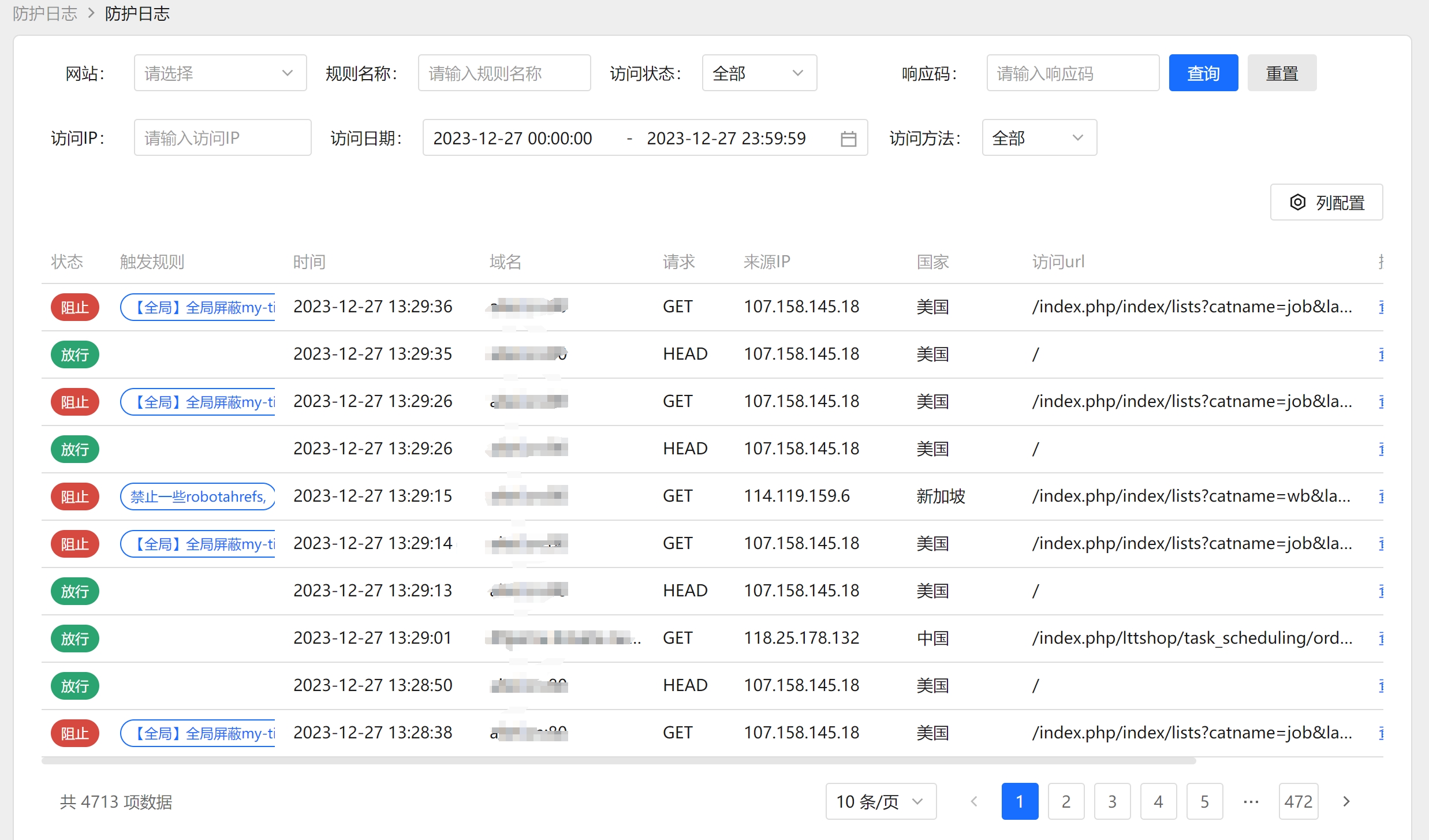
The Risk Log (also called Defense Log / Attack Log) aggregates and summarizes accesses that triggered WAF protection rules, grouped by source IP. It helps you quickly spot attackers, view the set of rules they triggered, and drill down into the detailed access records.
The top of the page shows tabs grouped by Triggered Rule for quick switching between rules. You can also filter by rule and source IP.
Want to know what is blocking a given IP right now?
IPs in the list are clickable — one click opens IP Policy Match Lookup, which checks the allow/block lists, IP groups, threat intelligence, every ban record and the CDN origin ranges in one go, and lets you allowlist or blocklist the IP on the spot. See IP Policy Match Lookup.
Steps
1. Query and Filter
- Use the Triggered Rule tabs or dropdown at the top to select the rule to view (choose "All Rules" to see everything).
- Enter a source IP in the IP field for an exact lookup.
- Click Search to filter, or Reset to clear conditions.
- The list is sorted by first/latest access time by default; click a column header to sort.
2. View Access Details for an IP
- Click Details on a row to open the "Access IP Details" for that IP, listing the specific access/defense log records for that source IP, so you can analyze request content one by one.
- The details offer two views, All Activity and Security Events. It opens on Security Events (the requests from that IP which hit a rule, with full payloads); switch to All Activity to see every request from that IP, including those that matched no rule, when you need to work out what it is actually doing.
3. Add an IP to the Block List
- Each IP in the IP column has an Add to Block List button; click and confirm to add that IP to the block list.
4. Delete Rule Tags
- Select a rule tag and click Delete to remove it. You will be asked how to delete:
- Tag Only: deletes only the tag statistics; raw logs are not affected.
- Also Delete Logs: deletes the tag and all related attack logs (slow for large datasets and not recoverable — use with caution).
- Click Batch Delete to select multiple rule tags at once; both delete modes above are supported.
5. Add to the Watchlist (full capture)
An ordinary request keeps only a narrow row and no payload, so reviewing "what else did this IP touch before it got blocked" afterwards often finds no payload to look at. That is what the watchlist is for:
- Click Watch on a row.
- Confirm the IP in the dialog, then set Days (1-30, 7 by default) and a Reason (optional, e.g. "triggered the SQL injection rule").
- Once confirmed, every request from that IP is captured with its full payload for the watch period, which then expires by itself.
6. Manage the Watchlist
- Click Watchlist in the toolbar to open the management dialog, listing the IPs on the watchlist with their expiry time and reason.
- Click Remove to end the observation of an IP early.
Watching has a cost
Every request from a watched IP stores a full payload, so a watched IP with heavy traffic takes noticeable space. Watch only genuinely suspicious IPs and only for a short while - it is not meant to be left on permanently.
Field Reference
| Field | Description |
|---|---|
| IP | The source IP that triggered the rule; an "Add to Block List" button sits next to it. |
| Blocked Count | Number of requests from this IP that were blocked by the WAF. |
| Allowed Count | Number of requests from this IP that were allowed, taken from statistics data (a "normal" tag is no longer generated per IP, which keeps the tag list clean). |
| First Access Time | The first time this IP appeared. |
| Latest Access Time | The most recent time this IP appeared. |
| Triggered Rule Set | The set of all rule tags this IP has hit. |
| Operation | Details: drill into the access details for this IP. Watch: add the IP to the watchlist for full capture. |
The "Triggered Rule" tags at the top come from the rule-hit tag set recorded by the system; AI Intelligent Detection hits also appear among the rule tags in the form
AI Detection:<category>.
FAQ
- Why aggregate by IP instead of per request? The Risk Log focuses on "who is attacking and which rules were triggered", and aggregating by IP makes triage faster; to see per-request content, click "Details" to enter the access details.
- Does deleting a tag delete the logs? It depends on the mode you choose. "Tag Only" leaves the raw logs untouched; only "Also Delete Logs" removes the related attack logs, and that is not recoverable.
- Why is the "normal" tag gone? A "normal" tag is no longer recorded per IP, which would grow the tag table with every visitor. Allowed counts come from statistics data instead, and the pass ranking on the dashboard is unaffected.
- When should I use the watchlist? When an IP looks suspicious but the existing logs are not enough to judge. During the watch period all of its requests, ordinary ones included, are captured with payloads - remember to remove it when you are done.
- Where do I read what the watchlist captured? In the All Activity view under Details; the payloads sit in each record's detail.
- A visitor keeps refreshing during a CC ban and every hit shows a record - why? Every block during a CC ban window now leaves a narrow row with the rule "CC ban", and the visit identifier shown on the block page maps to it one by one - so you can give visitors an accurate answer when they report being blocked. These rows keep metadata only and do not duplicate the request payload, and ban notifications stay throttled per ban key.
Update History
| Date | Applies to | Description |
|---|---|---|
| 2026-10-13 | v1.3.25-beta.8 | Every block during a CC ban window now leaves a "CC ban" narrow row, queryable directly by visit identifier (date and partition ignored); no duplicate request payload is stored and notifications remain throttled. |