
URL Privacy Protection
1/26/24About 1 min
URL Privacy Protection
Overview
URL Privacy Protection (Data Desensitization) desensitizes the sensitive data returned by specific URLs. When users access a specified URL, sensitive data in the response is masked, for example partially hiding phone numbers.
Typical use case: a list or detail endpoint returns personal data such as phone numbers or ID numbers, and you need to mask it for external display without modifying the backend code.
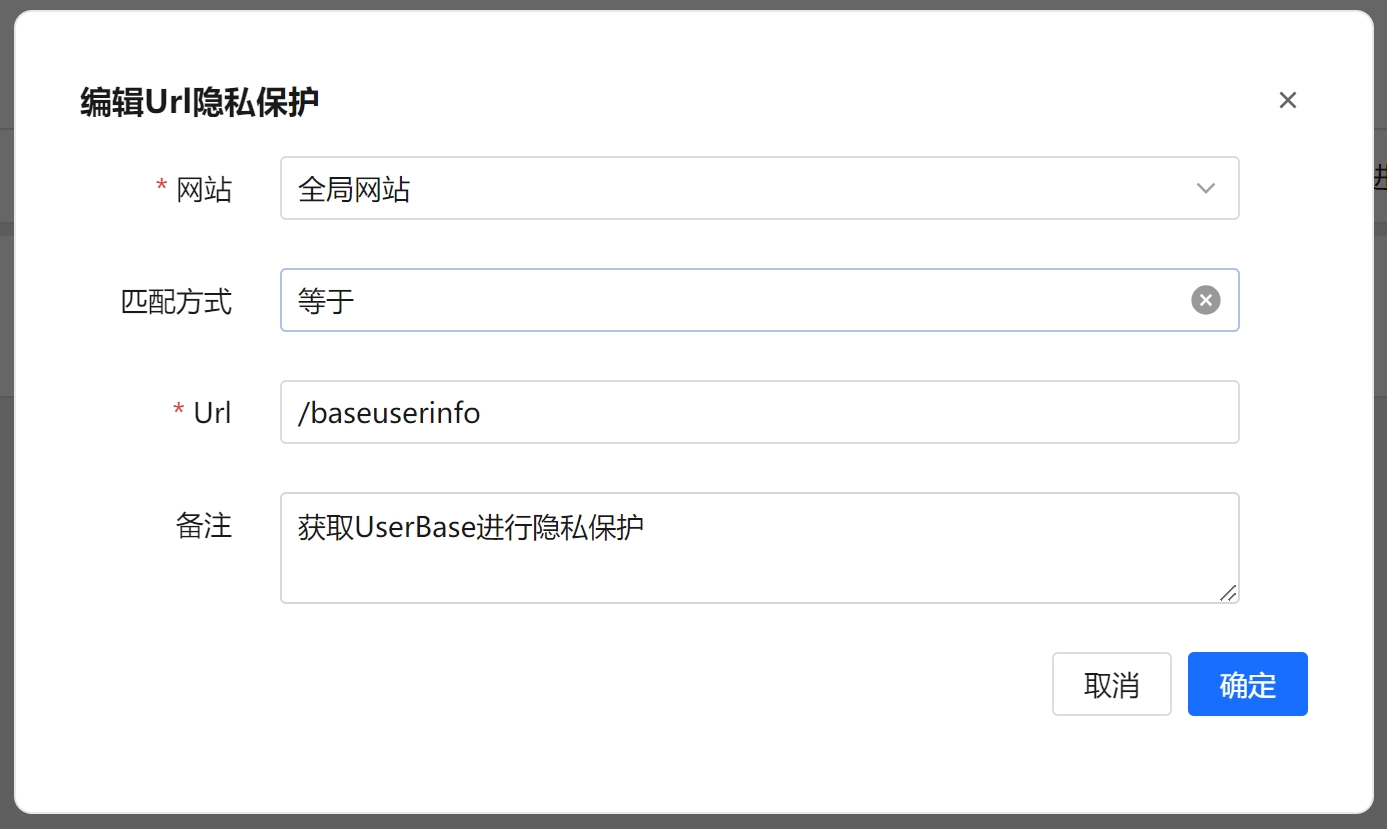
Steps
- Open the URL Privacy Protection page.
- Click the Add New Privacy Protection URL button at the top left to open the dialog.
- Fill in the following:
- Select the Website (the site this desensitization applies to).
- Select the Match Type (Equal / Prefix Match / Suffix Match / Contains Match).
- Enter the URL.
- Enter Remarks (optional).
- Click Confirm to save.
Use the Website and URL filters above the list to search. Select multiple rows to use Batch Delete, or use Clear All to remove all privacy protection URL data at once.
Field Reference
| Field | Description |
|---|---|
| Website | The site this desensitization rule applies to, chosen from the list of added websites. |
| Match Type | The matching rule for the URL: Equal, Prefix Match, Suffix Match, or Contains Match. |
| URL | The URL whose response data should be desensitized, compared using the selected match type. |
| Remarks | Custom note for easier management (optional). |
| Create Time | When the record was created (generated automatically). |
Match Types
- Equal: matches and applies desensitization when the request URL is exactly the same as the entered value.
- Prefix Match: matches and applies desensitization when the request URL starts with the entered value.
- Suffix Match: matches and applies desensitization when the request URL ends with the entered value.
- Contains Match: matches and applies desensitization when the request URL contains the entered value.
FAQ
- Does desensitization modify the original data? Desensitization only affects the response returned to the visitor; it does not change the data actually stored in the backend.
- Which data is desensitized? The system partially hides sensitive data (such as phone numbers) in the response content; the exact result depends on the actual returned data.