
URL Whitelist
1/26/24About 1 min
URL Whitelist
Overview
The URL Whitelist is used to allow specific URLs through during SamWaf protection. During detection, the firewall ignores URLs in the whitelist, so matched requests skip the related protection checks and pass directly.
Typical use case: when a legitimate endpoint is mistakenly blocked by a rule (false positive), add it to the whitelist so it is no longer intercepted by protection rules.
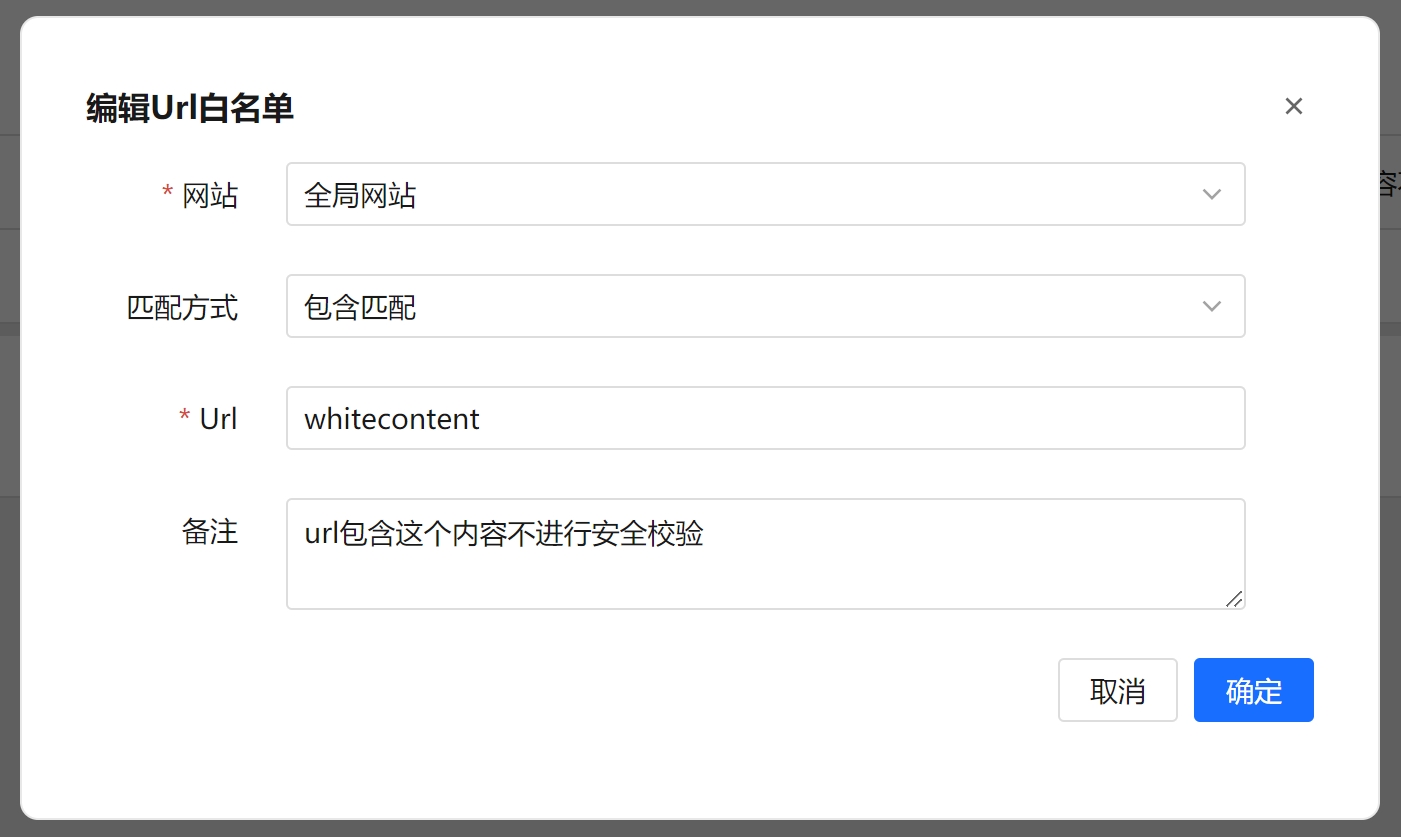
Steps
- Open the URL Whitelist page.
- Click the Add Allowlist URL button at the top left to open the dialog.
- Fill in the following:
- Select the Website (the site this whitelist applies to).
- Select the Match Type (Equal / Prefix Match / Suffix Match / Contains Match).
- Enter the URL.
- Enter Remarks (optional).
- Click Confirm to save.
Use the Website and URL filters above the list to search. Select multiple rows to use Batch Delete, or use Clear All to remove the current data at once.
Field Reference
| Field | Description |
|---|---|
| Website | The site this whitelist applies to, chosen from the list of added websites. |
| Match Type | The matching rule for the URL: Equal, Prefix Match, Suffix Match, or Contains Match. |
| URL | The URL to allow, compared using the selected match type. |
| Remarks | Custom note for easier management (optional). |
| Create Time | When the record was created (generated automatically). |
Match Types
- Equal: matches when the request URL is exactly the same as the entered value.
- Prefix Match: matches when the request URL starts with the entered value.
- Suffix Match: matches when the request URL ends with the entered value.
- Contains Match: matches when the request URL contains the entered value.
FAQ
- What if the whitelist and URL blocklist conflict? The whitelist allows requests through, while the URL blocklist blocks them, so they serve opposite purposes. Configure a given URL in only one place to avoid conflicting rules.
- Does whitelisting skip all detection? Whitelisted URLs are passed through and the related protection checks are ignored, so configure whitelists for important endpoints with care.