
URL Access Restriction
1/26/24About 1 min
URL Access Restriction
Overview
The URL Blocklist (URL Access Restriction) is used to block access to specific URLs. The firewall blocks access to URLs in the blocklist, and matched requests are intercepted.
Typical use case: forbid access to admin paths, debug endpoints, temporarily offline pages, or other sensitive URLs that should not be exposed.
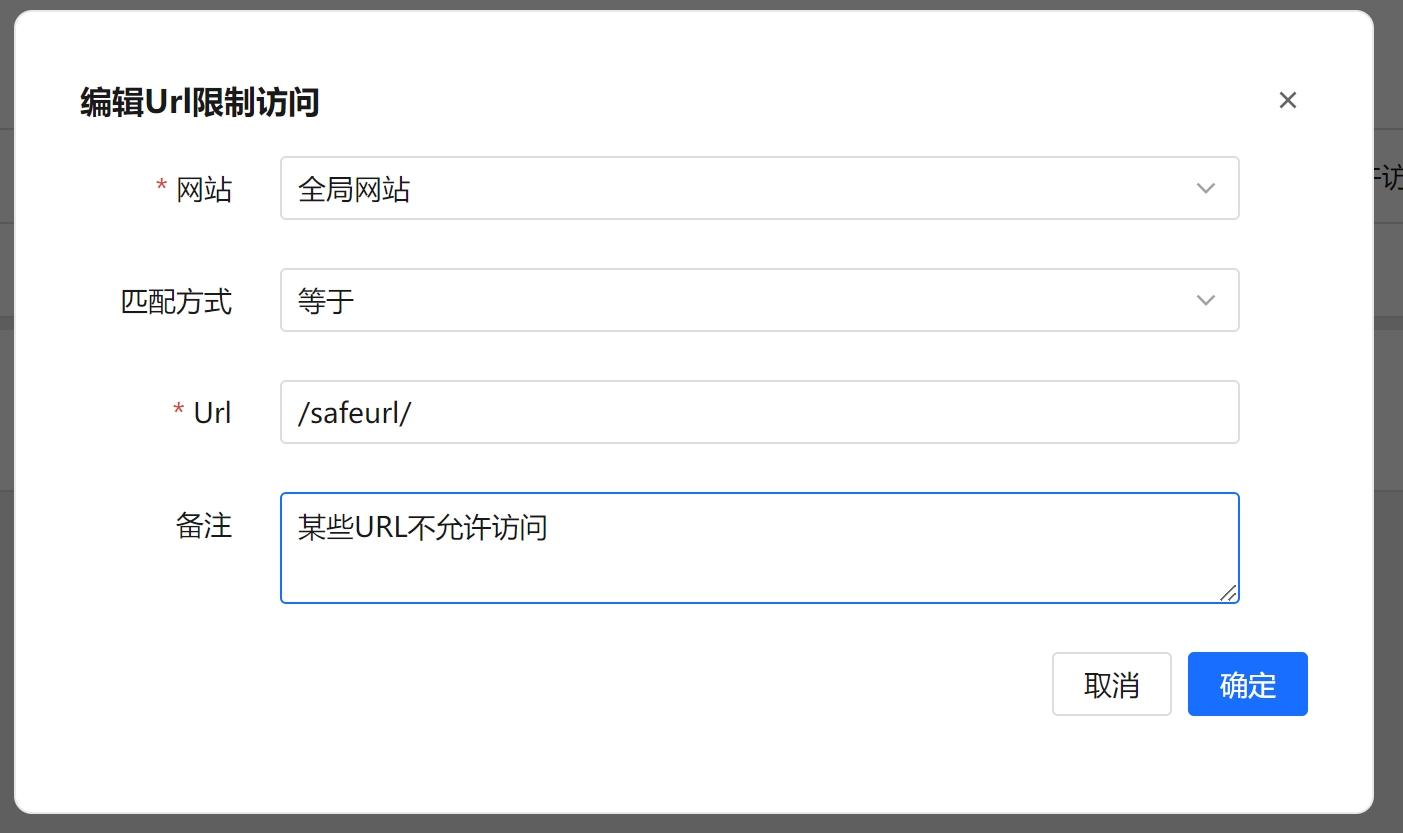
Steps
- Open the URL Access Restriction page.
- Click the Add Blocklist URL button at the top left to open the dialog.
- Fill in the following:
- Select the Website (the site this restriction applies to).
- Select the Match Type (Equal / Prefix Match / Suffix Match / Contains Match).
- Enter the URL.
- Enter Remarks (optional).
- Click Confirm to save.
Use the Website and URL filters above the list to search. Select multiple rows to use Batch Delete, or use Clear All to remove the current data at once.
Field Reference
| Field | Description |
|---|---|
| Website | The site this restriction applies to, chosen from the list of added websites. |
| Match Type | The matching rule for the URL: Equal, Prefix Match, Suffix Match, or Contains Match. |
| URL | The URL to block, compared using the selected match type. |
| Remarks | Custom note for easier management (optional). |
| Create Time | When the record was created (generated automatically). |
Match Types
- Equal: matches and blocks when the request URL is exactly the same as the entered value.
- Prefix Match: matches and blocks when the request URL starts with the entered value.
- Suffix Match: matches and blocks when the request URL ends with the entered value.
- Contains Match: matches and blocks when the request URL contains the entered value.
FAQ
- What is the difference between the URL blocklist and whitelist? The blocklist blocks access to specified URLs, while the whitelist passes requests through and ignores protection checks. Do not configure conflicting rules for the same URL.
- Can Contains Match affect unintended paths? Contains Match has a broad scope: any request whose URL contains the entered value is blocked. Use it with care, and prefer the more precise Equal or Prefix Match when needed.